Not 100% sure but should be this one:
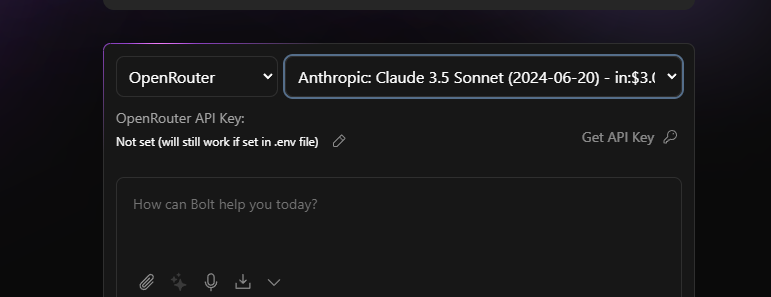
No, the one in the screeshot:
Wow, these prices are expensive!
$3/M input tokens
$15/M output tokens
$4.8/K input imgs
This is what I used to get from bolt.now for 10 million tokens for $20. So, they must have been losing money because the costs are much higher, so they switched to another model.
I dont think they pay the same prices as a normal user  They will have a big contract with Anthropic or even the model hostet on own servers within the contract.
So, can bolt.new bring back the old model even at a higher price? 
I dont think they switched so another provider. just to the new sonnet model. But you could just asked it them directly
Could also be the case they switched not at all and messed up some other things like system prompts
Is it really possible? But what’s the solution now, in your opinion? I want to optimize costs.
Should I use Bolt.DIY V3 and buy tokens, but that will be very expensive?
Or should I do something else? Please advise me.
Also, when I message them, they don’t reply to me at all
I would recommend going back to V3 and go with Gemini which is free. But your choice
I tried the third version, and there’s no difference from the fifth version. It’s still very dumb
And no project opens in the preview. Is there a solution?
So, problem is with what diy generates by default.
It generates next.js project that fails in webcontainer.
but this works
If you want to use next.js explicitly you can start with template and it does work
1 Like
Not sure if you found a solution to your problem, but I was experiencing this and my issue is it’s not running the development server. So what you need to do is in your terminal area write “npm run Dev”
Press enter and it should start right up.
The content displayed in the “Preview” tab is always HTML code and doesn’t render properly. My program is just a simple calculator, and I’m using the DeepSeekV3 model. Why is this happening?
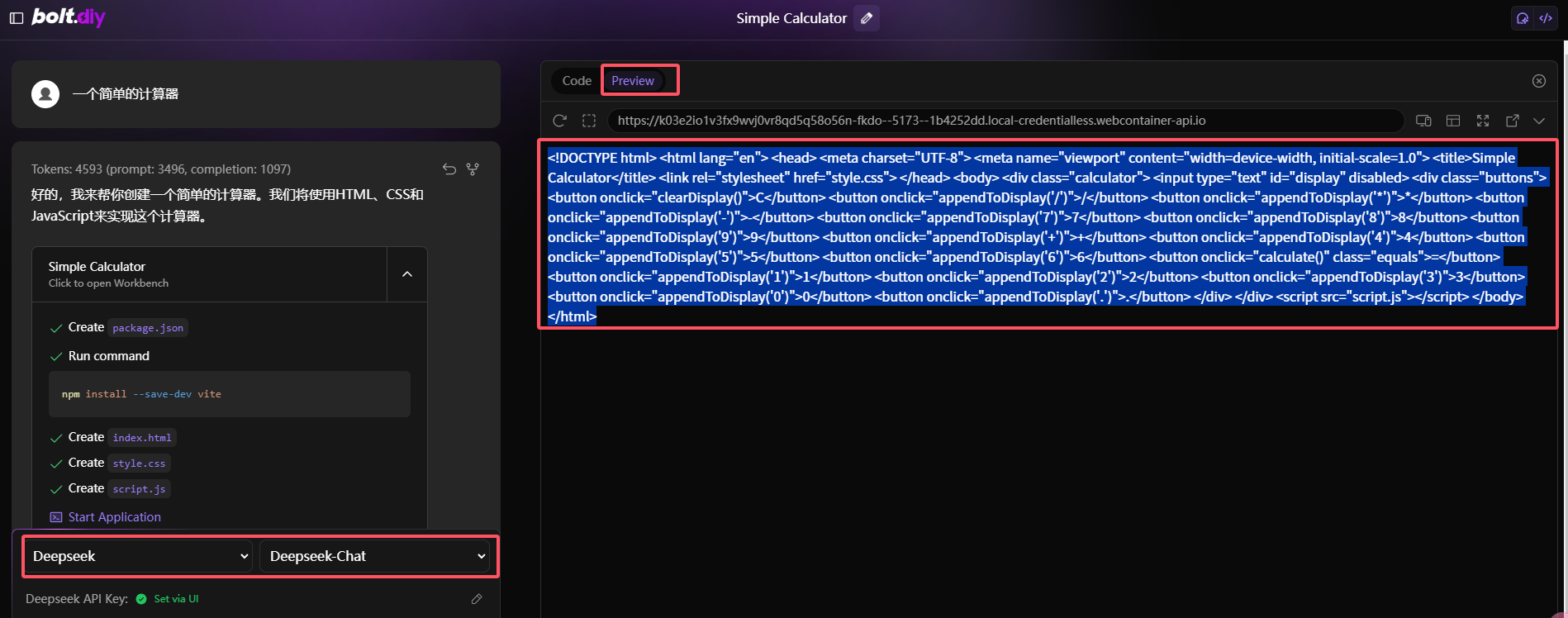
I had the same problem with DeepSeek R1. It’s basically giving the HTML codes for brackets… kind of the same results as putting code in a <pre> tag. You can tell it to write proper HTML “code” and not just their Unicode representation (which you would use more for a document showing code rather than the code itself, it likely has to do with the training set). An improved system prompt would likely resolve this.
@thecodacus Can we add this to testing?
1 Like
yeah so the deepseek is actually thiking it has to write in xml
so its doing it like
```xml
<boltArtifact>
...
</boltArtifact>
``'
the clean up code is removing that but llm is still writing xml so its doing an xml escape codes.
we can update the system prompts to add a strict rules to not treat it in such way and do some testing
for the immediate workaround with deepseek
you can enable the starter template and try the outputs
i just tested it and it solves the issue at the moment
1 Like