So instead of reverting back (using the rewind/arrow back button in the chat), you recommend pushing to github every time I am satisfied with the changes and if it messes up, starting a new chat and important my github repository?
@leex279 and @aliasfox, I wanted to thank you both for your help, for your SPEED and diligence, for contributing to this project and making it so great.
When running it locally, it was… unusable for me.
But now I have it on cloudflare and it works PERFECTLY.
ITS AMAZING.
Now I see the beauty in it.
Don’t see myself coming back to bolt.new.
I am loving it, in a very short time I already created a rather cool looking landing page for a client. Love the way it works, its all great.
So yeah, I just wanted to let you know that running it on cloudflare did the trick for me, went from unusable to a must have. Using the main repository works really well from the few hours of testing I did, didn’t have a single issue.
Yes. That’s what I recommend, because once the AI starts hallucinating, then it’s generally done for. It’s best to clear context and start again. In this way, if you say had robust tests when committing changes, etc… you could almost automate the AI just to clear context and try again (after so many failed attempts revert back to the last version, keep changes in the TASKS.md or etc.).
But this is also useful in either case and staging changes can also be useful, but not as common of a method. You can stage changes without committing and switch between them. However, it can be more complex when managing a lot of changes. Maybe worth looking into or watching a video on though.
And I’m glad to hear the Cloudflare Deployment helped. Good luck!
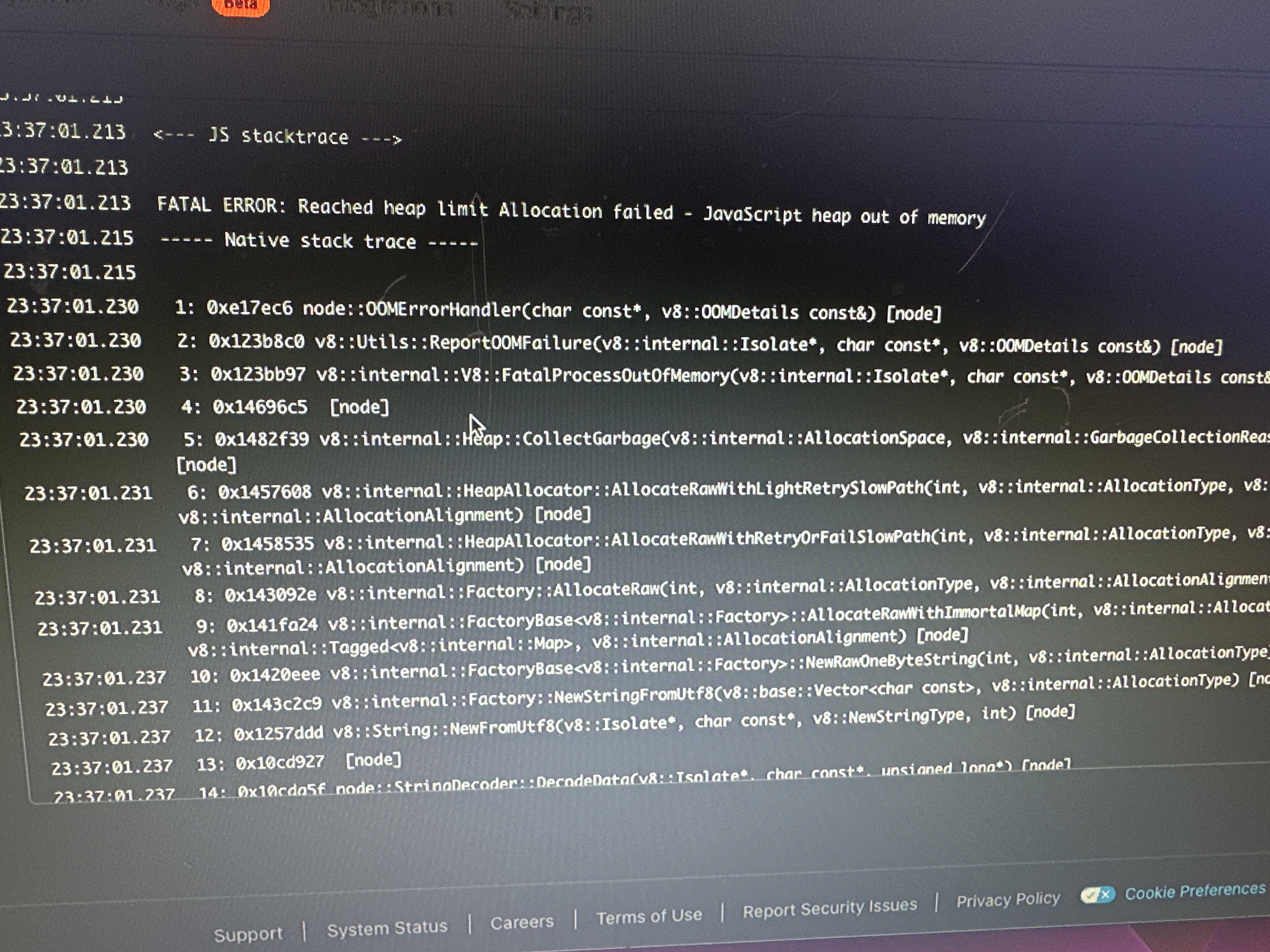
The site seems to be working but it tends to freeze alot , a lot lesser when I ran it locally. And generating results can take minutes from 1 simple prompt.
Does anyone have any ideas around this ?
Maybe the context window of the llm that I am using causing this ? - I am on deepSeek.
And I am running on i7 - 40gbRAM and on “main” branch.
Hi boys, everything was working perfectly till yesterday.
Now no matter what I do, I can’t deploy a page on Netlify. Not even the pages that worked previously.
Even when I download the page from bolt.diy with the “download code” button and then extract it and put the folder into netlify drop, it doesn’t work too (then I get a blank white page instead at least, although when running the page locally or in bolt, it works flawlessly).
Tried different netlify account too, but the same issue.
When deploying directly from bolt, first I get the “Failed to fetch Netlify statistics” error in the bottom right and then “Failed to create site” after a bit of trying to deploy.
Not sure on which end the error is, but before it worked perfectly fine.
Does anybody have any idea what could be the issue, how I could fix this or any alternative ways I could create and deploy pages for a client in the meantime till we find a solution to this?
@JanLisy this topic is about cloudflare, but your stuff is about netlify deployment. Please open a seperate topic for this Also put in some screenshots / terminal logs / dev-tools logs
Hey @aliasfox thank you so much for this article! It was working extremely well until today. I rebased main in order to have the supabase integration!
The Pages deployment fails, I get those errors
	✘ [ERROR] Build failed with 2 errors:
20:22:45.586
20:22:45.586	  ✘ [ERROR] Could not resolve "crypto"
20:22:45.586
20:22:45.587	      ../node_modules/.pnpm/cookie-signature@1.2.2/node_modules/cookie-signature/index.js:5:21:
20:22:45.587	        5 │ var crypto = require('crypto');
20:22:45.587	          ╵                      ~~~~~~~~
20:22:45.587
20:22:45.587	    The package "crypto" wasn't found on the file system but is built into node.
20:22:45.587	    - Make sure to prefix the module name with "node:" or update your compatibility_date to 2024-09-23 or later.
20:22:45.587
20:22:45.588
20:22:45.588
20:22:45.588	  ✘ [ERROR] Could not resolve "stream"
20:22:45.588
20:22:45.588	      ../node_modules/.pnpm/stream-slice@0.1.2/node_modules/stream-slice/index.js:3:24:
20:22:45.588	        3 │ var Transform = require('stream').Transform;
20:22:45.588	          ╵                         ~~~~~~~~
20:22:45.588
20:22:45.589	    The package "stream" wasn't found on the file system but is built into node.
20:22:45.589	    - Make sure to prefix the module name with "node:" or update your compatibility_date to 2024-09-23 or later.
20:22:45.589
20:22:45.589
20:22:45.589
20:22:45.589
20:22:45.589
20:22:45.611	🪵  Logs were written to "/root/.config/.wrangler/logs/wrangler-2025-03-27_03-22-43_939.log"
20:22:45.631	Failed building Pages Functions.
20:22:47.148	Failed: generating Pages Functions failed. Check the logs above for more information. If this continues for an unknown reason, contact support: https://cfl.re/3WgEyrH
Would you know how to fix it?
I tried a few things, I was seeing some errors due to “electron” so I removed the related files (I don’t need it), but doesn’t work
I just pulled an update to mine (both stable and main) yesterday and the deployment worked fine. Which branch are you using and are you getting an error message when deploying, etc.?
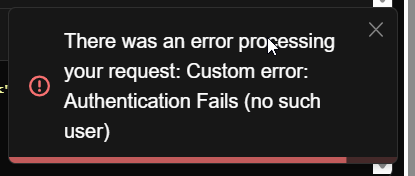
getting this error when following your instructions step by step and also i used your repo. made sure its on the stable one and also selected the correct compatibility date and flag as well. how do i deploy this?